
payer_enrollment_medicare_ngs
Medicare
NGS
For states that use NGS as their Medicare MAC please follow this guide for help with enrollments
https://enrolledi.ngsmedicare.com/enrollment
- Select that your are a provider

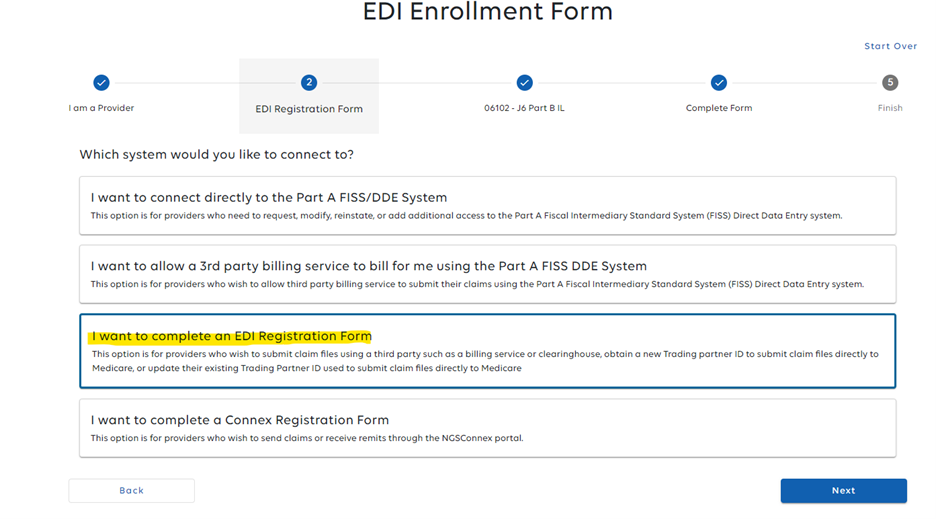
- Next, “I want to Complete an EDI Registration Form
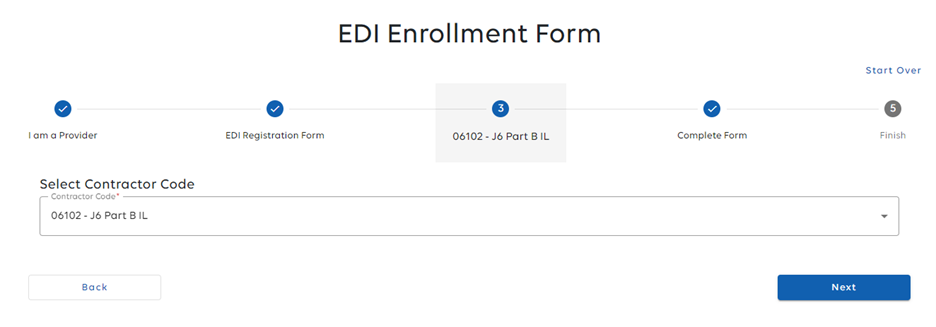
- Pick the Contractor code for you state:
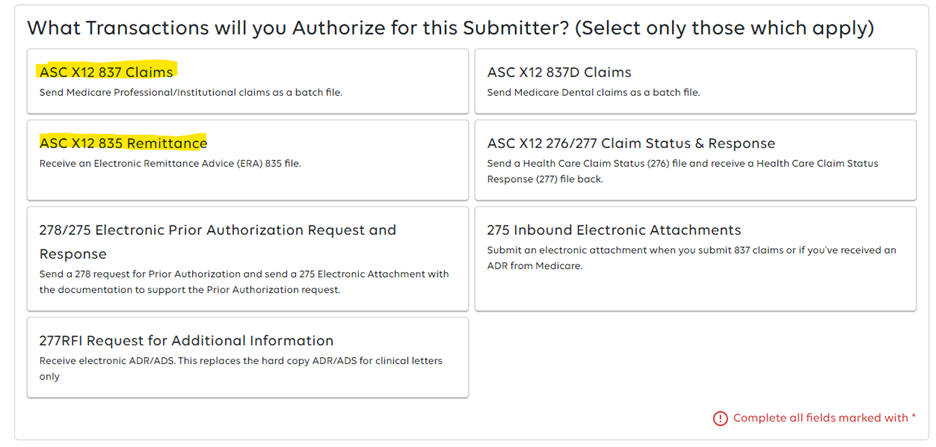
- Select your transactions. We suggest 837 Claims and 835 Remittances
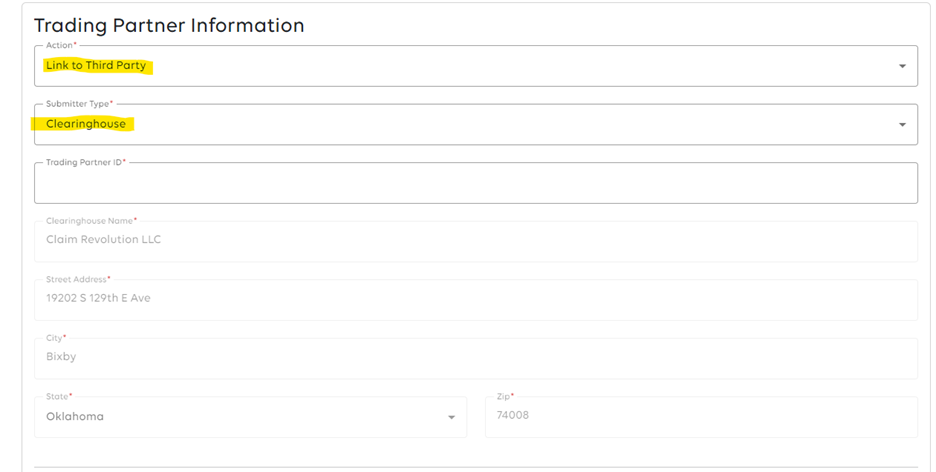
- In the Trading Partner Information select “Link to Third Party” and Submitter Type “Clearinghouse”. For the Trading Partner ID enter the ID we provided you.


Once this is complete wait for NGS to give you the go ahead. Once that has been done let us know and we can enable the payer for you in the system.
payer_enrollment_medicare_ngs.txt · Last modified: by brad.sharp